
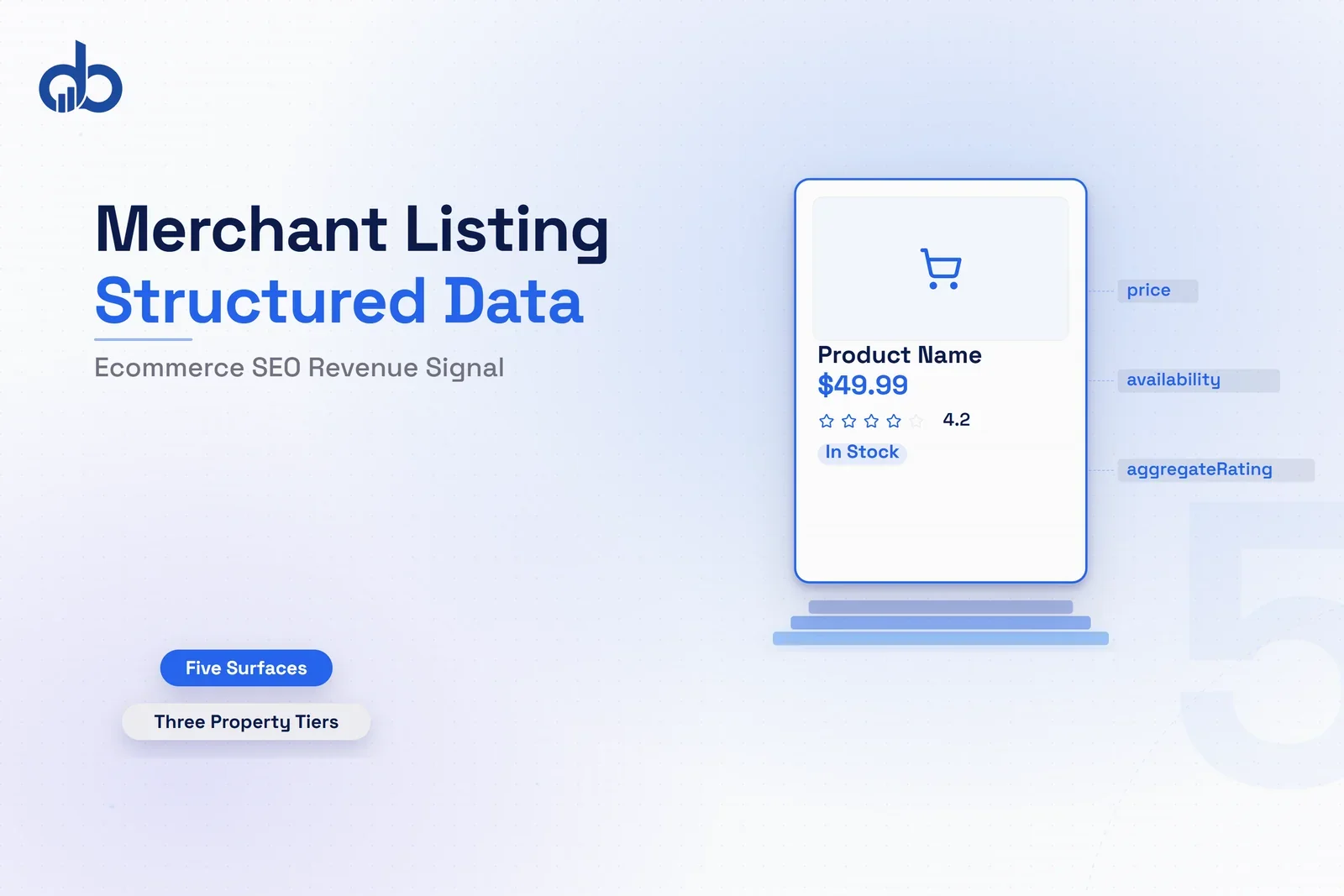
Rich results earn 20 to 40 percent more clicks than standard organic listings, according to multiple structured data studies from 2024 and 2025. Yet most ecommerce sites still run on bare-minimum Product schema: price and availability, with nothing beyond that.
The gap between what most ecommerce stores implement and what complete merchant listing markup actually covers has grown sharply since early 2026. Google AI Overviews now appear in 14 percent of shopping queries. In a Seer Interactive study of informational queries, brands cited in AI Overviews saw a 35% higher organic click-through rate than uncited brands. The stores appearing there consistently share one thing: complete Google Merchant Listing structured data.
Google offers five shopping surfaces where merchant listing markup can place a product. Most ecommerce sites qualify for one or two. The remaining three surfaces require specific schema properties that almost no implementation guide covers. That gap is where most ecommerce SEO programs leave revenue on the table.
What Is Google’s Merchant Listing Structured Data?
Google Merchant Listing structured data is schema markup for pages where customers can complete a purchase. It is not the same as standard product snippet markup, and that distinction has direct consequences for which Google surfaces a page qualifies for.
Standard product snippets apply to review pages, editorial roundups, and comparison articles. These pages discuss products but do not sell them. Merchant listing markup is specifically for pages with a direct purchase path. If a page has a price, a buy button, and an in-stock product, it needs merchant listing markup, not generic product snippet schema. Both are types of product structured data, but they qualify for different Google surfaces and different levels of commercial intent treatment.
The functional difference comes down to what Google requires for the Offer property. Merchant listing markup must include a valid Offer with three fields at minimum: price, priceCurrency, and availability. Without all three, Google will not treat the page as a merchant listing, regardless of what other schema properties are present.
Prior to September 2022, appearing in merchant listing surfaces required a Merchant Center product feed. Google updated its eligibility rules that year to allow on-page structured data alone to qualify a site. Ecommerce brands without a Merchant Center account can now appear in Shopping Knowledge Panels and Popular Products carousels through structured data alone. For independent retailers and smaller brands that had not set up Merchant Center feeds, this was a significant shift.
The markup format is JSON-LD, embedded in a script tag in the page source. Google reads this during crawl and uses it to determine which surfaces the page qualifies for. That assessment is not immediate. It follows Google’s indexing cycle, which varies by site crawl priority.
One common misconception: merchant listing markup is only relevant for Merchant Center users or Shopping advertisers. That was accurate before 2022. Since then, any ecommerce site with correctly implemented Google Merchant Listing structured data can compete for organic shopping surfaces without a paid advertising relationship or a product feed.
Where the JSON-LD block lives in the page source also matters. Google’s crawler processes the initial HTML of a page. Markup in the server-rendered HTML is read reliably. Markup that requires JavaScript to generate or insert is less consistently read, particularly on the first crawl of a new or recently updated page. Platform-based stores frequently overlook this distinction.
Why Merchant Listing Markup Is Now an Ecommerce Revenue Signal
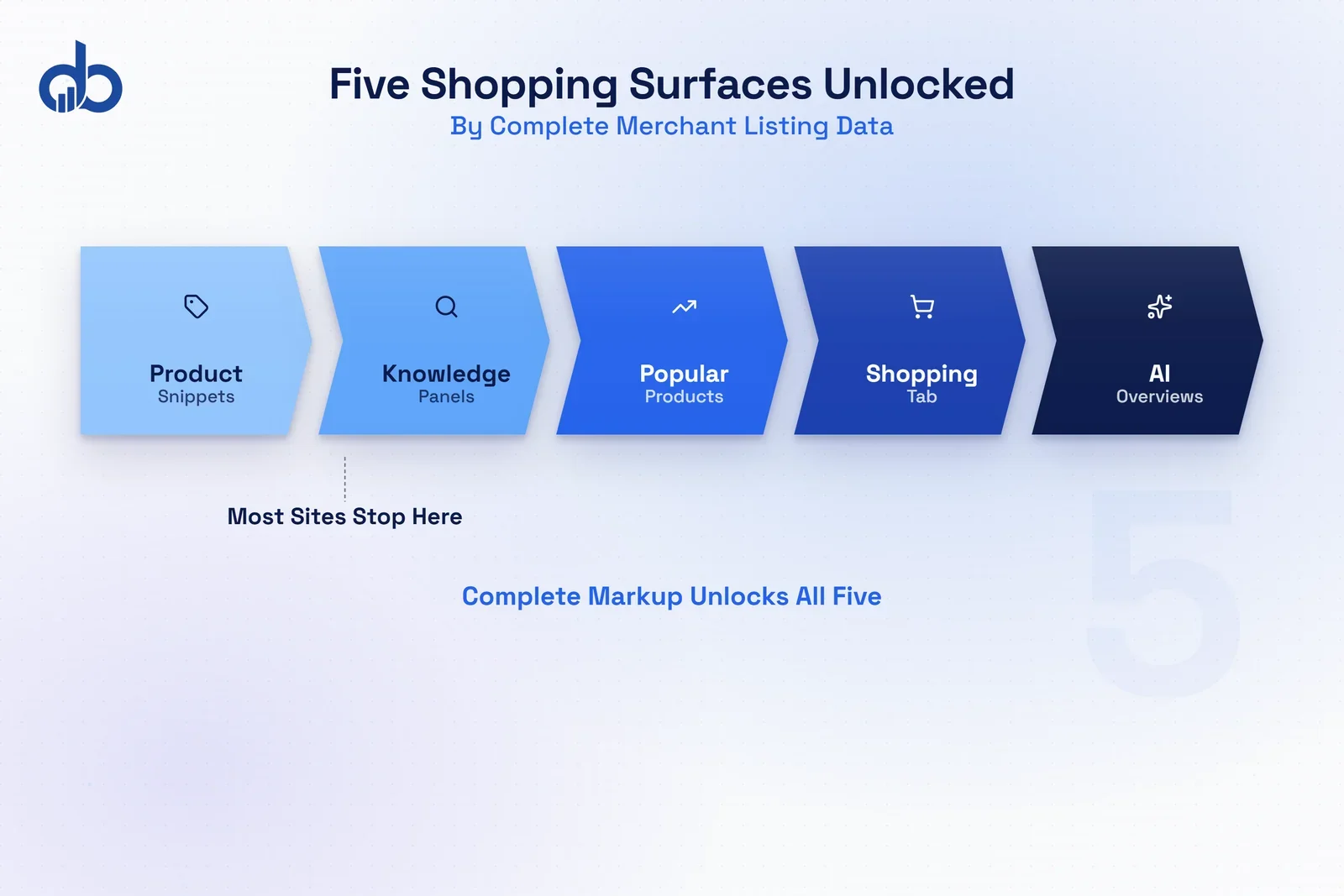
Google offers five distinct shopping surfaces that merchant listing structured data can qualify a product page for. Most SEO guides name two or three. For Google Shopping SEO, understanding all five and what each requires is where implementation decisions start to carry measurable revenue impact.
Shopping Knowledge Panel. When a user searches for a specific product by name, Google may display a rich card on the right side of the results page, showing images, price, ratings, seller information, and availability. It is powered by merchant listing data and requires a valid Offer.
Popular Products carousel. This surfaces in Google Search and Google Images results for category-level and branded shopping queries. Products in the carousel receive visual treatment, including image, price, and brand name, before a user reaches any organic text result. Schema markup is a prerequisite for inclusion, and most sites competing here are not doing anything more sophisticated than a correctly structured JSON-LD block.
Google Images product badges. Product pages with correct merchant listing markup have their images annotated in Google Images with a badge showing price and availability. This pulls qualified traffic from image search, a channel that most ecommerce SEO strategies do not account for separately. Few teams track image search as a shopping-intent channel.
Product snippets in organic results. Price, rating, and availability data appearing beneath standard organic results require merchant listing markup. Standard Product schema without a valid Offer does not qualify.
AI Overviews in shopping queries. Google’s AI-generated answer panels appeared in 14 percent of shopping queries in early 2026. Complete structured data is one of the signals Google uses when selecting products to cite in these panels. This is the highest-value surface in the group.
Nestlé measured an 82 percent higher click-through rate for pages showing as rich results compared to standard organic listings. At catalog scale, the revenue difference between partial and complete structured data implementation is not marginal. It compounds. Digiblazon’s SEO & Organic Growth team regularly finds ecommerce sites that are eligible for all five surfaces but appearing in only one or two because required properties are missing or mismatched.
The five surfaces also operate independently. A product page can appear in organic product snippets without appearing in the Popular Products carousel. Each surface draws from a different slice of the product structured data in the markup: basic surfaces need price and availability, advanced surfaces need shipping and return policy nodes. Implementing only the required fields gets a page into some surfaces. Advanced properties extend eligibility into the rest.
Not sure which of these five surfaces your product pages currently appear in? Get Free Marketing Audit
How Merchant Listing Structured Data Works
Google Merchant Listing structured data is built on the Product type from schema.org, with a nested Offer. This extends standard product structured data with commerce-specific fields, and the Offer is what distinguishes purchase pages from editorial product pages in Google’s classification.
Required at the Product level:
- name
- image
- description
Required at the Offer level:
- price
- priceCurrency
- availability (using schema.org values: InStock, OutOfStock, PreOrder, BackOrder)
- url
The priceCurrency field trips up many implementations. It is required even when the currency is contextually obvious. A US store selling exclusively in dollars still needs priceCurrency: “USD” in the schema. Google flags its absence as a validation error in Search Console, and that flag affects surface eligibility until the field is added and the page is re-crawled.
For products with variants, the correct structure is ProductGroup with nested Product nodes, not a single Product with multiple Offers. Each nested Product carries its own Offer, which means each variant gets its own availability status. Using a flat Product structure for variant items causes all variants to share a single availability value. When different sizes or colors have different stock levels, that creates mismatch errors that disqualify the page.
Google supports automatic item updates for sites connected to Search Console. This lets Google refresh price and availability data between scheduled crawls by reading the structured data on each page directly. It reduces the delay between a price change on the site and the updated price appearing in Google’s shopping surfaces. Automatic item updates require a verified domain connection through Search Console and are separate from Merchant Center sync.
The JSON-LD block should be present in the server-rendered HTML that Google receives on first request. Many platform-built stores inject schema via JavaScript after the initial page load. That injection may not be read on the first crawl, creating a gap between when a product goes live and when it becomes eligible for structured data surfaces. Server-side schema generation closes that gap.
Price data in the Offer should reflect the current selling price, not a list price or MSRP. If the page shows a discounted price, the schema price should match the discount. The priceValidUntil field can specify when the current price expires, which tells Google the price is confirmed accurate through a specific date and reduces the likelihood of a mismatch flag during that window.
The Properties That Separate Complete Coverage from Bare Minimum
Most product structured data implementations in ecommerce clear the required field threshold and stop. That level of implementation qualifies a page for basic product snippet eligibility. It does not qualify the page for the full range of merchant listing surfaces.
Google’s property model for merchant listings works in tiers. Each tier extends what Google can display about the product and, in turn, which surfaces the page can appear in.
Required fields (floor for all merchant listing surfaces):
- At Product level: name, image, description
- At Offer level: price, priceCurrency, availability
Recommended properties (extend surface eligibility):
- AggregateRating with ratingValue and reviewCount. Pages with ratings data appear in more display formats and typically receive higher visual prominence in Shopping Knowledge Panels.
- brand with Name. Confirms the product manufacturer and strengthens entity matching in Google’s systems. For branded product searches, this matters more than most teams expect.
- sku and mpn. Unique identifiers that help Google match the page to other product data sources and improve cross-surface data consistency.
Advanced properties (additional display types):
- OfferShippingDetails, nested inside the Offer. Specifies shipping rate, delivery time using ShippingDeliveryTime, and applicable regions using shippingDestination. Pages that include this data qualify for merchant listing display types that show shipping information before the click.
- MerchantReturnPolicy, a separate schema node linked from the Offer. Specifies returnPolicyCategory, merchantReturnDays, and returnMethod. Return policy data feeds AI Overview citations for shopping queries that surface return terms before the click.
- priceValidUntil. The expiration date of the current price. Confirms to Google that the price is accurate through a specific date, reducing the risk of mismatch errors during that window.
No current competitor guide explains how shipping and return policy markup affects surface eligibility. The practical effect is that advanced properties do not simply add information to an existing display. They qualify the page for display types that require those properties to function.
A page with only required fields can appear in basic product snippets. Add shipping and return policy data, and that page becomes eligible for pre-click display formats that show delivery time and return terms. Those pre-click signals affect buying decisions before the user visits the site, which is why Google treats them as meaningful surface differentiators.
The operational implication for ecommerce teams is that shipping and return policy schema cannot be generated from product-level data alone. It requires site-wide or category-level return policy information, and shipping rate data that varies by destination region. That is why most implementations stop at the required fields: the advanced properties require additional data sources, not just additional markup.
Want to see exactly which structured data properties your product pages are missing? Get Free Marketing Audit
Common Implementation Errors That Block Merchant Listing Eligibility
Google’s Search Console Merchant Listings report identifies four categories of errors most frequently. Each one can disqualify a page from merchant listing surfaces until resolved.
JavaScript-rendered markup. Google’s crawler processes the initial HTML response. Markup injected by JavaScript after page load is not reliably seen on the first crawl. For high-priority product pages, this creates an indexing delay. For new products, it can mean missing crawl windows entirely during launch. The fix is server-rendered schema: the JSON-LD block must be present in the HTML that Google receives before any JavaScript runs.
To verify server-side schema rendering, view the raw page source in your browser (right-click → View Page Source, not the Elements inspector). Search the source for "application/ld+json". If the script block is absent from raw source but visible in the Elements panel, the schema is JavaScript-injected. Google's first crawl will not see it.
Price or availability mismatch. Google cross-references the price and availability values in the schema against what is visible on the page at crawl time. Schema showing $49.99 while the page displays $54.99 disqualifies the page immediately. This error is most common in stores where a dynamic pricing system updates the visible price without a corresponding update to the schema output. Server-side schema generation from the same data source as the visible price prevents this.
Missing priceCurrency. Required in all cases. A page that omits it triggers a validation error in Search Console and loses merchant listing eligibility until the field is added and the page is re-crawled.
Wrong markup type for product structure. ProductGroup is for products with multiple variants. Product is for single items. Using ProductGroup for a non-variant product triggers a schema validation error. Using a flat Product structure for a variant item causes shared availability status across variants, which generates mismatch errors when individual variants have different stock levels.
Each error type appears with page-level data in the Search Console Merchant Listings report, including which pages are affected, which error type is present, and whether the issue is blocking eligibility outright or generating a warning that reduces surface coverage without fully disqualifying the page.
The JavaScript rendering issue is the most overlooked of the four. Most store platforms offer schema plugins or built-in schema output, but many inject the JSON-LD via client-side JavaScript rather than server-side rendering. Checking whether schema is present in the raw HTML before JavaScript runs is the first diagnostic step when Search Console shows merchant listing errors that do not match the schema configuration.
Monitoring Merchant Listing Performance in Search Console
Google Search Console has two separate reports relevant to merchant listing structured data. Most SEO teams use one and overlook the other.
The first is the Rich Results report, under the Enhancements section. This shows product pages categorized as Valid, Valid with warnings, or Invalid. Invalid pages have blocking errors that prevent merchant listing surface eligibility. Valid with warnings means the page passes basic validation but is missing recommended properties.
“Valid with warnings” is where most implementations stop investigating. It reads as acceptable. In practice, it means the page qualifies for basic product snippets but not for all merchant listing surfaces. Each warning maps to a missing property, and each missing property maps to surfaces the page cannot appear in. Treating warnings as informational rather than actionable is where most teams leave surface coverage on the table.
The second report is the Merchant Listings report, distinct from the Rich Results report. This shows merchant listing status at the product level, including which products are valid, which have errors, and which specific properties are triggering issues. It also provides impression data that gives a direct view of whether the structured data is generating surface appearances. Most teams have never opened it.
Checking both reports weekly during initial implementation and monthly after stabilization catches price mismatch errors before they suppress pages for extended periods. Teams that lack the in-house bandwidth for that cadence typically pair it with a structured Analytics & Tracking setup that flags merchant listing status changes automatically. A mismatch error on a high-traffic product page can affect that page’s merchant listing presence until Google re-crawls and validates the correction. On a site with a weekly crawl cycle, that delay is measurable in lost impressions and click volume.
Filter the Merchant Listings report by "Valid with warnings" and sort by impressions descending. Pages with the highest impression volume and warnings are the highest-priority fix: they already have search visibility but are being excluded from additional surfaces due to missing recommended properties. Fixing these first maximizes the revenue impact of each hour of technical work.
Need help diagnosing why your product pages are not appearing in all merchant listing surfaces? Get Free Marketing Audit
Merchant Listing Structured Data and Google’s AI Shopping Era
Most guides frame Google Merchant Listing structured data as a path to rich snippets. Add product schema, get price and rating annotations in search results, improve click-through rate. That was an accurate description of what merchant listing markup delivered from 2018 through 2024.
The picture changed in 2025 and accelerated into 2026. Merchant listing data now feeds Google’s AI shopping systems directly, not just its structured result display logic.
AI Overviews appeared in 14 percent of shopping queries in early 2026, up from 2.1 percent in late 2025. The jump took four months, according to a Visibility Labs study of 20.9 million shopping keywords. In a separate Seer Interactive study of informational queries, brands cited in AI Overviews saw a 35% higher organic click-through rate than uncited brands. Among all five surfaces that merchant listing markup can qualify a page for, AI Overview inclusion has the most documented recent growth.
Structured data is one of the signals Google uses when selecting products to include in AI Overviews for shopping queries. Complete, accurate markup, specifically price, availability, shipping time, and return policy, gives Google’s systems the data needed to describe a product without inferring it from unstructured page content.
Here is the counterintuitive part: data accuracy matters more than completeness for AI citation eligibility. Most implementation guides treat required fields as sufficient and frame optional properties as incremental gains. That logic holds for standard rich result eligibility. For AI Overview inclusion, it inverts.
A page with complete markup but a price mismatch between schema and visible content is a weak candidate for AI citation. A page with fewer optional properties but perfect data consistency is a stronger one. The AI system must trust the data it is reading. Inconsistent data, even on properties not required for basic rich result eligibility, reduces that trust.
Return policy and shipping data have become particularly important in this context. Shopping query AI Overviews increasingly include return terms and delivery windows in the pre-click summary. Pages that provide this data in structured form give Google concrete information to surface. Pages without it require Google to infer return and shipping terms from unstructured text, which is less reliable and less likely to result in an AI citation.
The direction is clear. For Google Shopping SEO in 2026, the landscape has shifted from optimizing for a single rich result format to maintaining consistent, accurate data across five surfaces simultaneously, with AI-mediated ones growing fastest. Google Merchant Listing structured data is the primary input governing eligibility across all five. The brands with consistent presence are those with structured data that is accurate, complete, and synchronized with visible content on the same schedule as price and inventory changes.
Complete Merchant Listing Markup Is Now a Competitive Floor, Not an Upgrade
You now know which five Google shopping surfaces Google Merchant Listing structured data qualifies a product page for, which property tiers separate a two-surface presence from a five-surface one, and why data accuracy matters more than completeness for AI Overview eligibility. Applying this at catalog scale, keeping price and availability synchronized across thousands of product pages, is where most ecommerce SEO programs underestimate the operational complexity. Digiblazon’s SEO & Organic Growth service audits Google Merchant Listing structured data at the property level across all five surfaces, identifies what is missing or mismatched, and maps a remediation plan that fits the actual catalog size and update cadence. Start with a Free Marketing Audit.
- Google Merchant Listing structured data qualifies product pages for five distinct shopping surfaces simultaneously—including AI Overviews, Shopping Knowledge Panels, and Popular Products carousels.
- AI Overviews appeared in 14 percent of shopping queries in early 2026, up from 2.1 percent in late 2025, making AI Overview eligibility a priority surface in Google Shopping SEO for 2026.
- Three property tiers separate minimal schema coverage from full five-surface eligibility: required fields open surfaces one and two; recommended properties open surfaces three and four; advanced markup enables AI Overview citations.
- The four most common merchant listing errors are JavaScript-rendered schema, price mismatches between schema and visible content, missing Offer properties, and absent return or shipping data.
- Data accuracy matters more than completeness for AI Overview inclusion—consistent markup with fewer optional properties outperforms complete but mismatched schema.
Frequently Asked Questions
What is the difference between merchant listing structured data and product snippets?
Merchant listing structured data applies to pages where a customer can complete a purchase. It requires a valid Offer with price, currency, and availability. Product snippets apply to editorial pages, review articles, and roundup posts that discuss products but do not sell them. If a page has a price and a buy button, it needs merchant listing markup. The two schema types qualify for different Google surfaces: merchant listings open commerce-specific surfaces like the Shopping Knowledge Panel and Popular Products; product snippets appear only in standard organic results.
Do I need a Google Merchant Center account to use merchant listing structured data?
No. Google expanded eligibility in September 2022 so that ecommerce sites qualify for merchant listing surfaces through on-page structured data alone, without a Merchant Center account. Independent retailers and smaller brands can appear in Shopping Knowledge Panels and Popular Products carousels using only correct page-level schema. That said, connecting a Merchant Center feed alongside structured data strengthens data consistency signals and gives access to additional surfaces, including Shopping ads.
What Google surfaces does merchant listing structured data qualify a page for?
Correctly implemented merchant listing markup makes a product page eligible for five surfaces: the Shopping Knowledge Panel, Popular Products carousels in Search and Google Images, Google Images product badges showing price and availability, product snippets in standard organic results, and AI Overview citations in shopping queries. Not all five are guaranteed. Eligibility depends on property completeness and on the accuracy of the data relative to what is visible on the page.
What are the most common merchant listing structured data errors?
The four errors Search Console flags most frequently are: JavaScript-rendered schema that Google's crawler cannot read in the initial HTML; price or availability mismatch between the schema values and what is visible on the page at crawl time; missing priceCurrency, which is required regardless of context; and using ProductGroup markup for a single non-variant product, or a flat Product structure for a product with variants. Each error type appears with page-level data in the Merchant Listings report in Search Console.
How do I add shipping and return policy data to my merchant listing schema?
For shipping, add an OfferShippingDetails node nested inside the Offer. Specify shippingRate, deliveryTime using ShippingDeliveryTime, and applicable regions using shippingDestination. For return policy, add a MerchantReturnPolicy node linked from the Offer. Include returnPolicyCategory, merchantReturnDays, and returnMethod. Both are recommended properties that extend eligibility to merchant listing display types showing shipping and returns information before the click, and they feed the structured data that AI Overview citations pull for shopping queries that include return and delivery terms.
Does merchant listing structured data affect Google AI Overview eligibility?
Structured data is one of the signals Google uses when assembling AI Overviews for shopping queries. Complete, accurate merchant listing markup, particularly price, availability, and return policy, helps Google's systems describe a product without inferring it from unstructured content. AI Overviews appeared in 14 percent of shopping queries in early 2026, up from 2.1 percent in late 2025. In a Seer Interactive study of informational queries, brands cited in AI Overviews saw a 35% higher organic click-through rate than uncited brands. Data accuracy matters more than property completeness for AI citation eligibility: a price mismatch between schema and visible content disqualifies a page from AI citation even if all optional properties are present.