
80% of B2B social media leads come from LinkedIn. That figure alone should make LinkedIn non-negotiable for any B2B client brief. And yet, most agency LinkedIn campaigns fail within the first 90 days. Not because the targeting’s wrong. Because the expectations were never set correctly, and the operational framework was never built.
Your client expects a CPL close to their Google Ads number. LinkedIn delivers a number that looks twice as high. You’re now explaining why LinkedIn costs more, why the volume is lower, and why the leads convert better, to a client who sees a higher line on the invoice and fewer names on the list.
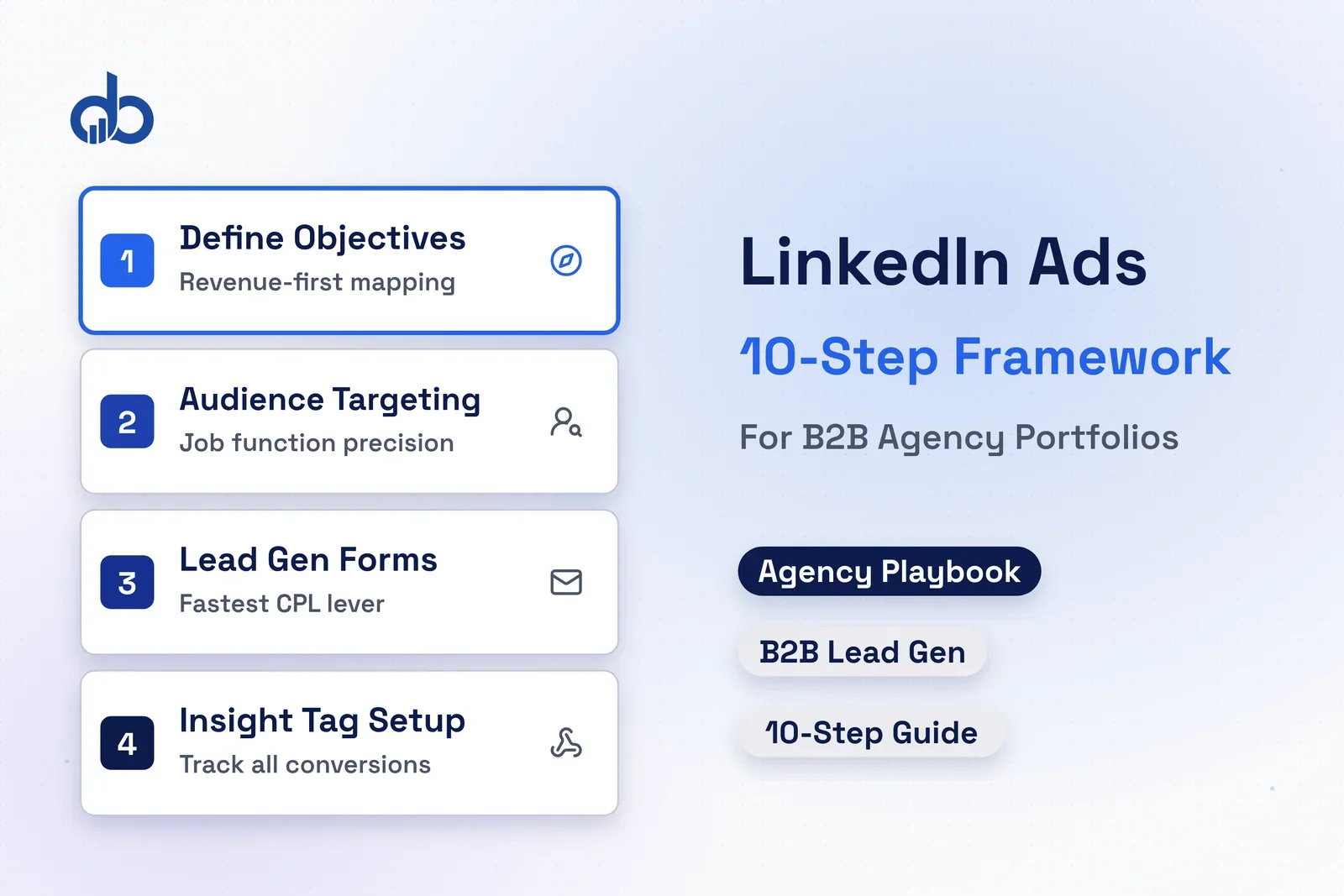
That gap isn’t a campaign problem. It’s a framework problem. This 10-step LinkedIn ads management guide was built for digital marketing agencies running B2B campaigns across multiple clients. Work through it once, apply it consistently, and the next 90-day conversation is about pipeline, not platform costs.
What Your Agency Needs Before Managing LinkedIn Campaigns for Clients
Before launching a single campaign, get the infrastructure right. Most agency LinkedIn failures trace back to decisions made, or skipped, in this phase. And most of those decisions can’t be undone mid-flight.
Agency LinkedIn Readiness Checklist:
- LinkedIn Campaign Manager account owned by the agency (separate from any personal account)
- Client Company Page with 300+ followers (required for Sponsored Content delivery)
- Agency granted Campaign Manager access via the client’s Company Page admin, not by taking Admin access
- LinkedIn Insight Tag installed on the client’s website (via GTM recommended)
- Client billing card on file in Campaign Manager, never the agency card
- Agreed Ideal Customer Profile (ICP) brief: target job titles, seniority levels, company sizes, industries, and geographies
- CRM integration confirmed (HubSpot, Salesforce, or Zapier) for Lead Gen Form lead routing
- 90-day performance reporting framework agreed with the client before launch
Two items on this list break campaigns more than any other targeting choice. First: billing. When the agency card is on file, the agency owns the account in LinkedIn’s eyes, and transferring ownership later requires LinkedIn support involvement. Second: the Insight Tag. Running any conversion or retargeting campaign without the tag installed is operating without data. Those two mistakes aren’t correctable mid-flight.
Step 1 — Define Campaign Objectives That Drive Client Revenue
Campaign Manager offers five objectives: Awareness, Engagement, Website Visits, Lead Generation, and Website Conversions. Most agencies default to Lead Generation. That default costs CPL.
The objective isn’t chosen from a dropdown. It’s derived from the client’s revenue gap.
Before selecting an objective, run this translation:
| Client revenue goal | Likely funnel gap | LinkedIn objective |
|---|---|---|
| "We need more brand recognition" | Awareness deficit | Brand Awareness |
| "We're losing deals to a competitor we can't get in front of" | Reach deficit | Engagement or Website Visits |
| "We need more qualified leads in the pipeline" | Conversion deficit | Lead Generation or Website Conversions |
| "Our CRM has warm leads that aren't converting" | Nurture deficit | Website Conversions with Insight Tag retargeting |
When a client says “we need more leads,” the LinkedIn ads management decision isn’t obvious yet. The next question is: where is the pipeline breaking? If they have brand recognition but a poor conversion rate, Lead Generation is right. If they’re invisible to their ICP, Awareness campaigns need to run first. Starting with Lead Generation on a brand that decision-makers don’t recognize yet produces high-CPL leads that convert slowly, and a client who blames LinkedIn.
This objective-to-revenue mapping is the first ROI optimization decision an agency makes, and the one most LinkedIn guides skip entirely.
Step 2 — Target Decision-Makers with LinkedIn’s Precision Filters
LinkedIn reaches 65 million decision-makers. Four in 5 members drive business decisions in their organizations. The precision is there. The trap is over-filtering.
Stack too many targeting layers and your estimated audience drops below 10,000. LinkedIn’s delivery algorithm needs room to find the right people within a segment. Below 10,000, delivery stalls and CPL spikes without any change in creative or bid.
Targeting layer logic for B2B LinkedIn advertising:
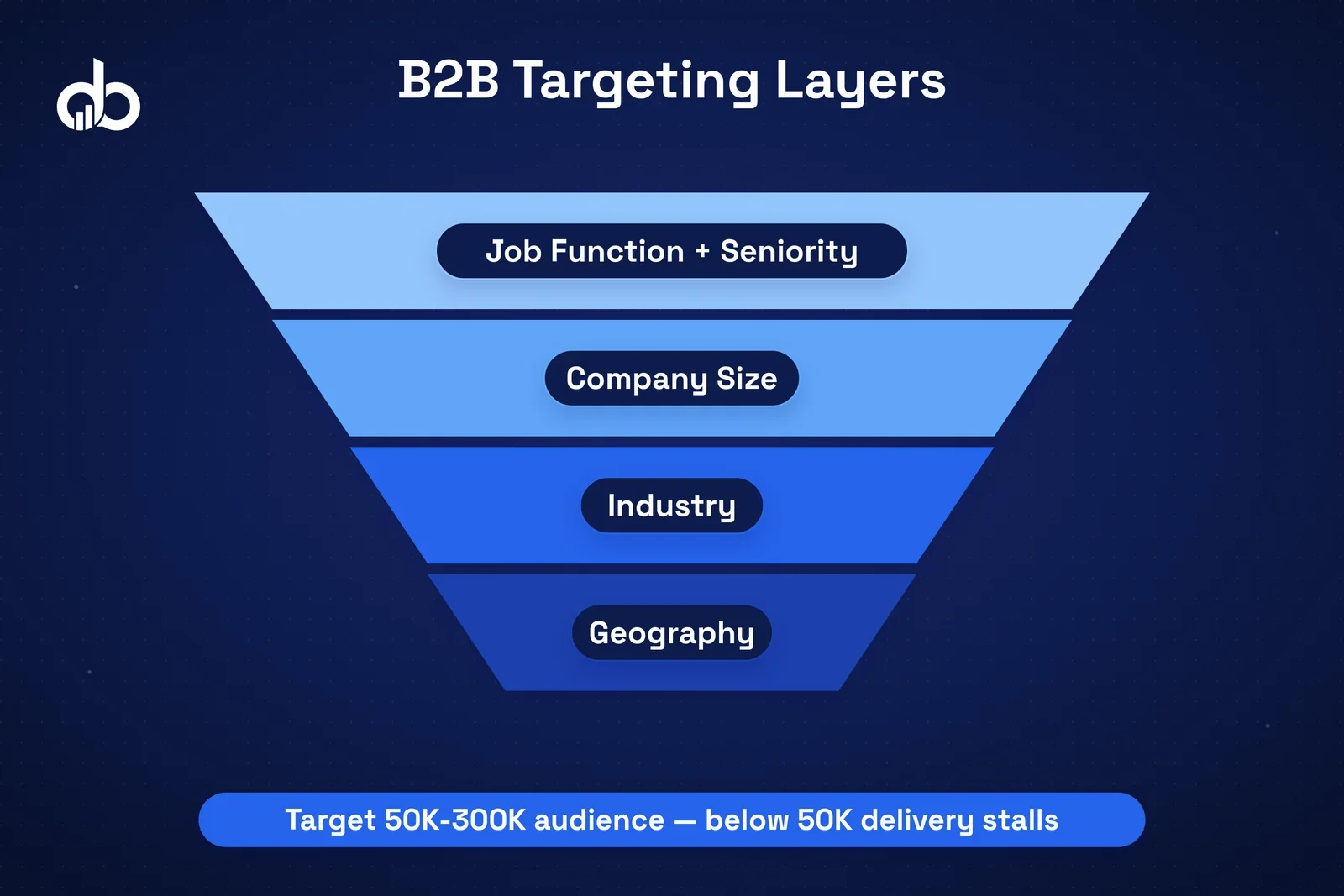
Start with Job Function plus Seniority rather than Job Title alone. LinkedIn’s job title taxonomy is inconsistent. “VP of Marketing,” “Head of Marketing,” and “Marketing Director” are separate entries and miss each other in search. Job Function (Marketing) plus Seniority (Director, VP, C-Level) catches all of them.
Add one secondary filter at a time and check the estimated audience size before adding the next:
- Job Function + Seniority (primary, always start here)
- Company Size (add if the client’s ICP has a clear company size band, e.g. 200-1,000 employees)
- Industry (add if the client sells sector-specific, e.g. Financial Services, Healthcare)
- Geography (add always, LinkedIn defaults to global delivery)
Audience size target: 50,000-300,000 for most B2B campaigns. Below 50,000, delivery becomes unreliable. Above 500,000, CPL efficiency drops because the audience is too broad for the precision LinkedIn is known for.
Add Matched Audiences as a separate layer. Upload the client’s CRM contact list, build a retargeting segment from Insight Tag website visitors, or connect the client’s HubSpot or Salesforce for real-time list sync. Matched Audiences consistently deliver lower CPL than cold targeting alone, because you’re reaching people who already have some signal of relevance. This is also where B2B lead generation compounds over time: the longer the Insight Tag fires, the stronger your retargeting pool becomes.
Pro tip: Don’t try to fix a poor CPL by stacking more targeting layers. The reflex to narrow the audience is understandable, but below 50,000 people, LinkedIn’s delivery system can’t optimize. It just shows the same ads to the same small segment repeatedly and CPL climbs. Expand Job Function first, then check whether adding Company Size brings the audience to a workable range.
Step 3 — Match Ad Formats to Each Stage of the B2B Funnel
LinkedIn advertising offers eight ad formats. Agencies that default to Sponsored Content for every campaign miss the format-to-funnel match that drives CPL efficiency.
| Funnel stage | Best format | Why |
|---|---|---|
| Top of funnel | Single Image Ads, Video Ads | Brand recall, feed-native, low CPC |
| Mid funnel | Sponsored Content, Document Ads | Engagement plus gated assets for lead capture |
| Bottom of funnel | Lead Gen Forms, Message Ads | Conversion with minimum friction |
| Retargeting | Sponsored Content, Text Ads | Reach warm audiences at low CPM |
One practical signal: if Sponsored Content CTR has been below 0.3% for more than 10 days with 1,000+ impressions, the format isn’t the audience’s entry point at this stage. Switch formats before adjusting copy or creative. The format-to-funnel match is a faster test than a copy test, and it costs nothing to change.
Step 4 — Set Campaign Budgets That Reflect B2B Sales Cycles
The CPL conversation with clients isn’t a LinkedIn problem. It’s a framing problem.
LinkedIn B2B campaigns routinely run at $75-150 CPL. Those leads convert to sales opportunities at 2-3x the rate of leads from other paid channels. The right comparison isn’t LinkedIn CPL vs. Google Ads CPL. It’s LinkedIn cost-per-sales-qualified-lead vs. Google cost-per-sales-qualified-lead.
A digital marketing agency that sets this frame with the client before launch avoids the 30-day “why is CPL so high?” conversation. Set it after launch and you’re on the defensive.
Budget minimums: LinkedIn’s algorithm needs data to optimize. Below $3,000/month, there isn’t enough impression and click volume for the delivery system to learn. Campaigns below this floor plateau at high CPL with no optimization path. If a client’s budget is under $3,000/month, discuss realistic output expectations before launch, or decline the LinkedIn engagement.
Sales cycle timing: B2B LinkedIn leads take 30-90 days to close in most sectors. A 30-day campaign report is a leading indicator, not a results report. Build this expectation into the client kickoff brief. Monthly reporting should cover CPL trend, lead volume, and lead quality signals (SQL rate, meetings booked from LinkedIn-sourced leads), not revenue impact. Revenue impact is a 90-day conversation.
Not sure how to frame LinkedIn CPL expectations for a B2B client? Get Free Marketing Audit
Step 5 — Write Ad Copy That Speaks to Decision-Makers
LinkedIn users are in professional mode. They’re not scrolling for entertainment. The copy approach that works on Meta, emotional hooks, before/after stories, urgency triggers, underperforms on LinkedIn.
Decision-makers on LinkedIn respond to specificity and peer outcomes. Every LinkedIn ads management engagement should apply this principle from the first draft of copy, not after the first month of data.
Headline formula: Outcome plus audience label. Not “Improve Your Marketing ROI.” Instead: “How B2B SaaS Companies Cut Lead Costs by 40% on LinkedIn.” The second headline tells the reader exactly who it’s for and what they get.
Body copy structure:
- Line 1 (before “see more” cutoff): Name the specific pain. “Most B2B LinkedIn campaigns underperform because the objective doesn’t match the pipeline stage.”
- Line 2: Credibility signal. A number, an outcome, or a mechanism. Something specific.
- Line 3: CTA. Direct, low-friction. “Download the framework” or “See how it works,” not “Click here to learn more.”
Format-specific copy limits:
- Sponsored Content headline: 70 characters maximum (truncates in feed above this)
- Lead Gen Form intro text: 500 characters maximum
- Message Ad subject line: 45 characters maximum (appears in the inbox preview)
Copy that respects these constraints consistently outperforms copy that ignores them. Most underperforming LinkedIn ads aren’t failing because of targeting. They fail because the headline was written without checking the character count.
Step 6 — Use Lead Gen Forms to Cut CPL Without Losing Quality
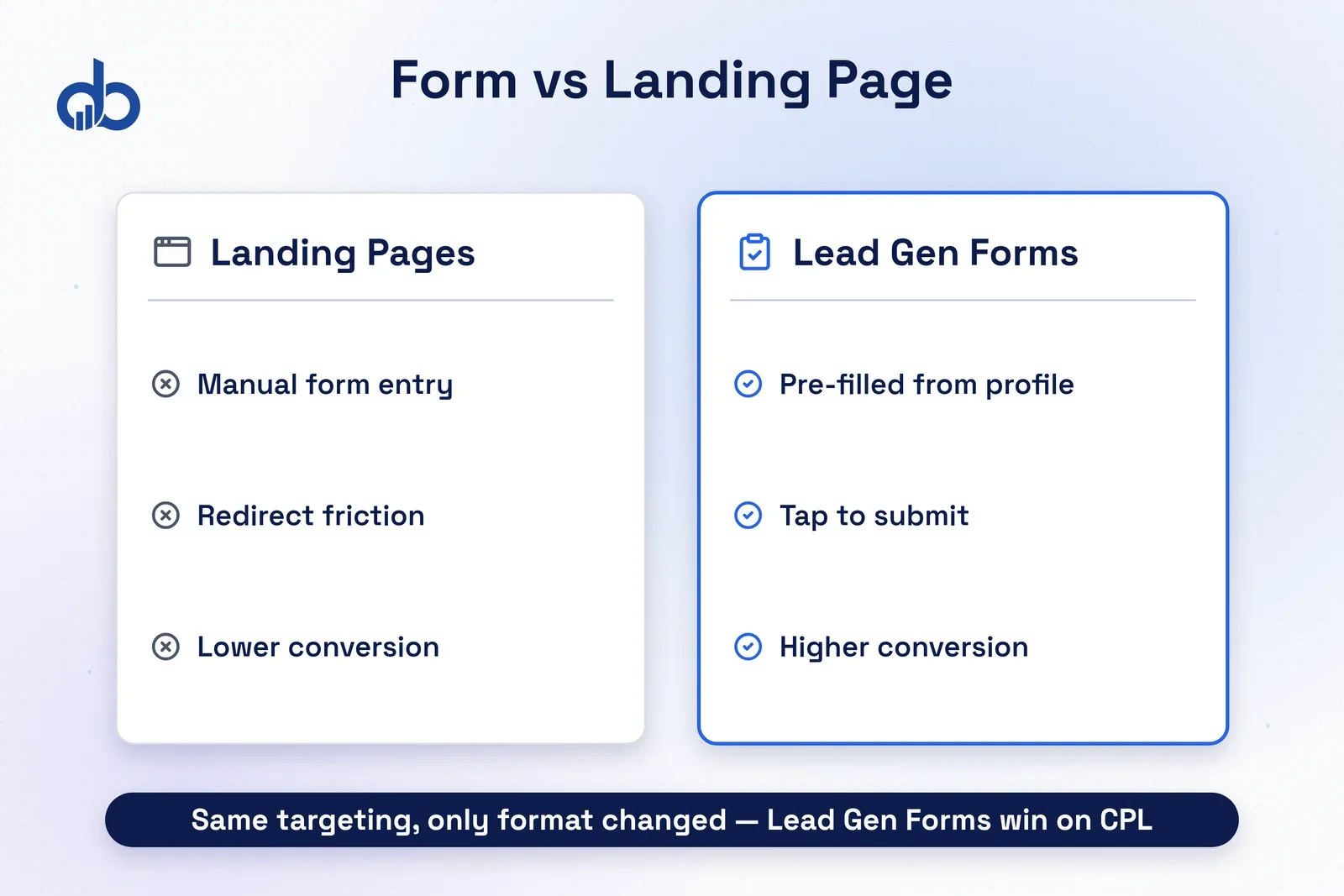
LinkedIn Lead Gen Forms convert at 13% on average. Standard landing pages average 2.35%. For campaigns where CPL reduction is the priority, Lead Gen Forms are the fastest lever.
The reason is friction removal. Lead Gen Forms pre-fill from the user’s LinkedIn profile: name, job title, company, email. The user taps Submit. No redirect, no form fatigue, no mobile keyboard.
One agency client running Lead Gen Forms for a B2B SaaS company achieved a 12% form conversion rate at $94 CPL. The same client had previously been running Sponsored Content to a landing page at 3.2% conversion and $161 CPL. The targeting was identical. The only change was the form format. That’s not a small difference.
When to use Lead Gen Forms:
- Client’s CPL is above benchmark and landing page conversion rate is below 5%
- The offer is simple and low-commitment (download, webinar registration, newsletter signup)
- CRM integration is ready to route leads automatically
When to use a landing page instead:
- The offer requires intent qualification: a long-form discovery form with custom questions that filter unqualified leads
- The client’s sales team needs to see what page content drove the conversion
- The client’s CRM isn’t integrated with LinkedIn yet (manual lead export isn’t a production workflow)
Add 1-2 qualifying questions to the Lead Gen Form: company size, primary challenge, or use case. LinkedIn allows custom questions on top of the pre-filled profile data. These questions filter out low-fit submissions and give the client’s sales team context before the first call.
For B2B lead generation at scale, Lead Gen Forms with qualifying questions consistently outperform landing pages on both volume and lead quality when the targeting is tight.
Common questions we hear on calls:
“What’s the #1 reason Lead Gen Forms underperform for B2B clients?”
Usually the offer. If you’re asking a senior decision-maker to fill out a form for a generic newsletter or a vague “consultation,” they won’t. The offer has to match the audience’s stage: a benchmark report for cold audiences, a specific audit or proposal for warm ones. The form isn’t the problem. The value exchange is.
“Can we run Lead Gen Forms and landing pages at the same time?”
Yes, and you should. Split the budget 70/30 between Lead Gen Forms (primary) and a landing page (secondary) for the first 30 days. Let the data tell you where quality is higher, not just where volume is easier to get. Some clients find their best leads come from the landing page because the friction self-selects for higher intent.
Step 7 — Install and Configure the LinkedIn Insight Tag
The Insight Tag is non-negotiable. Every LinkedIn ads management engagement, regardless of objective, starts with the tag installed and firing correctly.
Without it, you lose conversion tracking, website retargeting, and the ability to use Website Conversions as a campaign objective. All three are critical for any performance-focused B2B campaign. Running LinkedIn campaigns for a client without the Insight Tag is running blind.
Installation checklist:
- Add the global Insight Tag JavaScript to all pages of the client site (GTM recommended: faster to implement, easier to verify, and it survives CMS updates)
- In Campaign Manager, go to Account Assets, then Insight Tag, and confirm the tag status shows “Active” within 48 hours of installation
- Create conversion events: define the specific pages that count as conversions (thank-you page URL, form submission confirmation, trial activation page)
- Verify conversion events are firing by visiting the relevant pages and checking Campaign Manager’s conversion status
Retargeting audience build: LinkedIn automatically starts building retargeting audience segments from Insight Tag data. These audiences compound over time. At 60 days of data, a “website visitors last 90 days” segment typically contains enough users to run a retargeting campaign. This is the lowest-cost LinkedIn traffic available, because the audience has already interacted with the client’s brand.
Unsure if your LinkedIn Insight Tag is set up correctly for your client accounts? Get Free Marketing Audit
Step 8 — Choose the Right Bidding Strategy for B2B LinkedIn Campaigns
LinkedIn’s three main bidding options behave very differently, and choosing the wrong one at the wrong campaign stage is the single fastest way to burn budget without data.
Maximum Delivery (automated): LinkedIn spends the full daily budget as fast as possible, optimizing for whatever the campaign objective is. CPL can vary significantly day-to-day. Best for the first 30 days because it gives the algorithm room to learn. Worst for budget-sensitive campaigns where a CPL spike of 3x in one day isn’t recoverable.
Target Cost: LinkedIn optimizes toward a specified CPL. Requires 50+ conversions in the optimization window to function correctly. It’s not a launch option. Only use this once the campaign has generated enough data.
Manual CPC: Agency sets a bid per click. Gives the most control but requires active monitoring. Use for very small audiences (under 20,000) where automated delivery can exhaust a daily budget in hours.
Decision rule for agency LinkedIn ads management:
- Days 1-30: Maximum Delivery with a daily budget cap. Let the algorithm learn.
- Day 31 onward: If CPL is above target, test Target Cost at 90% of current CPL. If CPL is at or below target, keep Maximum Delivery and scale by expanding audience or increasing budget.
The bidding strategy isn’t a set-and-forget decision. Review it at 30-day intervals alongside CPL trend data, and apply the same review across every client account in the portfolio.
Pro tip: Don’t switch from Maximum Delivery to Target Cost in the first 30 days, no matter how high CPL looks. The algorithm is still learning which LinkedIn users convert for this client’s offer. Switching too early starves the system of data and you end up with worse CPL, not better. 30 days, then evaluate.
Step 9 — Track Performance Against B2B-Specific Benchmarks
LinkedIn B2B campaign benchmarks in 2025-2026:
| Metric | Benchmark range |
|---|---|
| Sponsored Content CTR | 0.3-0.8% |
| Lead Gen Form conversion rate | 10-15% |
| CPL: enterprise B2B (Fortune 500 ICP) | $120-200 |
| CPL: SMB-focused B2B | $50-90 |
| Lead-to-SQL rate from LinkedIn | 25-35% |
CTR on LinkedIn runs lower than Meta or Google Ads. That’s not a performance signal. It’s a format signal. LinkedIn users don’t click display content the way social media users do. The ROI optimization metric to watch is CPL relative to the industry benchmark for that client’s ICP seniority level, and the lead-to-SQL rate over 90 days.
When a client compares LinkedIn CTR to their Google Ads CTR, the numbers look unfavorable. The right comparison is lead-to-opportunity rate and cost-per-sales-opportunity. Agencies that measure and report on these downstream metrics retain LinkedIn clients. Agencies that report CTR and CPL in isolation lose them after one quarter.
Monthly reporting minimum:
- CPL trend over 90 days (is it improving as the algorithm learns?)
- Lead volume vs. target
- Lead-to-SQL rate (requires input from the client’s sales team)
- Insight Tag event count (confirms tracking is working)
- Top-performing ad creative (CTR plus CPL combined)
B2B lead generation on LinkedIn is a 90-day story, not a 30-day sprint. Reporting frames set early determine whether the client stays or cancels.
Step 10 — Run a Weekly Optimization Loop Across Your Client Portfolio
Single-brand LinkedIn guides stop at campaign launch. For digital marketing agencies managing multiple B2B clients, the challenge is consistency: keeping every account optimized without every account requiring custom attention every week.
Weekly LinkedIn portfolio review, 30 minutes per client account:
Core metrics check (5 metrics, 5 minutes per account):
- CPL trend: up, down, or flat vs. last week
- CTR by creative: any ad below 0.25% CTR with 1,000+ impressions
- Lead volume: on pace for monthly target?
- Insight Tag status: still firing? (Check the tag status indicator. It goes silent without warning if the client’s site changes.)
- Budget pacing: is the budget spending at the right rate to hit the monthly cap?
Optimization trigger rules:
- Pause a creative if CTR falls below 0.25% for 5+ consecutive days with 1,000+ impressions
- Pause an ad set if CPL exceeds 2x target for 10+ consecutive days
- Rotate creative every 30 days regardless of performance. LinkedIn audiences are smaller than Meta, and ad frequency builds faster.
Scaling signals:
- When CPL is below target and lead volume is limited: expand audience first (Audience Expansion toggle or add a second targeting segment). Don’t increase budget until audience expansion has been tested.
- When lead volume is on target and CPL is below target: scale budget by 20-30% and monitor CPL for 7 days before scaling again.
For ROI optimization across a client portfolio, the weekly rhythm matters more than any single campaign decision. Consistent application of the trigger rules, across every client account, every week, is what separates a digital marketing agency that retains LinkedIn clients from one that loses them after the first invoice.
Where Agency LinkedIn Campaigns Break Down
Four failure modes account for most underperforming LinkedIn campaigns at the agency level.
Skipping the CPL conversation before launch. When a client is calibrated to Google Ads CPL, a LinkedIn campaign launching at $130 CPL triggers a crisis, even when that CPL is at benchmark for their ICP and industry. Set the expectation before the first invoice.
Over-targeting the audience. Stacking job title plus company size plus industry plus seniority plus company name plus geography produces an audience of 5,000. LinkedIn’s delivery system can’t optimize that. It delivers at high frequency to a tiny segment and CPL climbs fast. Use Job Function plus Seniority as the base, and add one filter at a time.
Running conversion campaigns without the Insight Tag. Without conversion tracking, LinkedIn has no feedback signal. It optimizes toward clicks, not toward the specific action the client wants. The result is traffic without leads, or leads that don’t match the ICP.
Treating LinkedIn advertising like Meta. Creative heavy with imagery, short punchy copy, and emotional triggers performs differently on a professional platform. If you run Meta Ads alongside LinkedIn, keep the format logic completely separate. Decision-makers on LinkedIn respond to specificity, peer proof, and outcome-first messaging. What works on a consumer feed doesn’t land in a professional one.
Managing LinkedIn campaigns for B2B clients and hitting consistent CPL walls or lead quality issues? Get Free Marketing Audit
LinkedIn Ads Management That Scales Across Your Portfolio
With this framework, you can take any client brief and build a LinkedIn ads management structure that’s consistent, trackable, and optimizable, regardless of their industry or company size. The objective mapping, targeting logic, Lead Gen Form decision criteria, and weekly portfolio review all apply across every account you manage.
Knowing the framework and executing it consistently are two different things. The discipline of the weekly review, the CPL conversation before launch, and the impulse control to not stack targeting filters is what separates agencies that retain LinkedIn clients from those that lose them after one quarter.
Digiblazon’s Performance Marketing service runs LinkedIn ads management for agencies and their clients, from campaign architecture through monthly optimization. If you want to see where your current client accounts stand, start with a Free Marketing Audit
- Define client objectives first — the LinkedIn objective setting determines everything downstream from bidding to creative format.
- Use Job Function plus Seniority as your targeting base before adding filters; audiences under 50,000 restrict delivery and raise CPL.
- Lead Gen Forms outperform landing pages for volume, but landing pages give better intent signals for high-value deals.
- Budget conversations happen before launch, not after — align spend to the client's CPL tolerance and sales cycle length.
- The Insight Tag must be installed before any conversion campaign launches; without it, LinkedIn optimizes for clicks, not results.
- A weekly portfolio review across all client accounts is what separates agencies that retain LinkedIn clients from those that don't.
Frequently Asked Questions
How much should a digital marketing agency budget for LinkedIn ads?
LinkedIn's minimum daily budget is $10, but B2B campaigns typically need $3,000–$5,000 per month to generate enough data for optimization. For agencies, we recommend aligning budget to the client's average deal value and expected CPL, not to a fixed percentage of revenue.
What is a good CPL for LinkedIn ads in B2B campaigns?
Median B2B CPL on LinkedIn ranges from $75 to $150 across industries. SaaS and enterprise software often see $100–$200 CPL, while professional services average $80–$120. The right target depends on the client's deal size and close rate, not the platform average.
How long does it take LinkedIn ads to leave the learning phase?
LinkedIn Campaign Manager's delivery algorithm typically needs 14–21 days and at least 50 conversions to exit the learning phase. Setting tight audiences under 50,000 or changing creative too frequently resets the learning phase and raises CPL.
Should agencies use LinkedIn Lead Gen Forms or landing pages?
Lead Gen Forms consistently outperform landing pages for top-of-funnel lead volume, with form completion rates around 13% versus 2–3% for landing pages. However, landing pages are better when lead quality and intent signals matter more than volume.
What LinkedIn Insight Tag events should agencies track for B2B clients?
At minimum, track form submissions, demo requests, and any page that signals buying intent such as pricing or contact pages. For clients with longer cycles, also track gated content downloads and webinar registrations to build retargeting audiences.